In the dynamic world of small business, every lead is a precious commodity. The journey from a mere prospect to a loyal customer can be fraught with challenges, from scattered data to missed follow-ups. For years, small businesses struggled with spreadsheets and disjointed tools, hoping to keep track of their potential revenue. But what if there was a better way? A way to visualize your entire sales pipeline, automate tedious tasks, and make data-driven decisions that propel your business forward? This is where Mastering Small Business Lead Management Using CRM Dashboards becomes not just a goal, but a tangible reality, offering a transformative approach to how you connect with and convert your leads.
Imagine having a real-time, bird’s-eye view of every lead, their stage in the sales funnel, and the actions required to move them closer to conversion, all neatly organized on one intuitive screen. This isn’t a futuristic dream; it’s the power of modern CRM dashboards. For small businesses, where resources are often stretched thin and every decision counts, optimizing lead management is paramount. It’s about more than just tracking names and numbers; it’s about understanding buyer behavior, personalizing interactions, and ultimately, building lasting relationships that fuel sustainable growth. This comprehensive guide will walk you through the nuances of leveraging CRM dashboards to their fullest potential, ensuring your small business doesn’t just survive, but thrives.
The Small Business Predicament: Why Effective Lead Management is Critical for Survival
Small businesses operate in an incredibly competitive landscape. Unlike larger enterprises with dedicated sales and marketing departments, small teams often wear many hats, making efficient processes not just desirable but absolutely essential for survival and growth. The “small business predicament” often boils down to limited resources—time, money, and personnel—yet an unlimited need for new customers. Without a robust system in place, leads can slip through the cracks, follow-ups are forgotten, and valuable sales opportunities are lost forever.
Consider the typical scenario: a small business owner might juggle initial inquiries, manage existing client relationships, oversee product development, and handle day-to-day operations, all while trying to remember who called when, what they discussed, and what the next step should be. This fragmented approach leads to inefficiencies, frustrated prospects, and a stagnant sales pipeline. Effective lead management, therefore, isn’t just an administrative task; it’s the very heartbeat of a small business’s revenue generation engine. It’s about ensuring that every inbound query is captured, every outreach is tracked, and every potential customer receives the attention they deserve, consistently and systematically.
Understanding Lead Management in the Digital Age: Beyond Simple Contact Tracking
The concept of “lead management” has evolved dramatically over the years. Gone are the days when it simply meant compiling a list of potential customers in a Rolodex or a basic spreadsheet. In the digital age, lead management encompasses the entire process of identifying, attracting, nurturing, qualifying, and converting prospects into paying customers. It’s a holistic approach that integrates marketing, sales, and even early customer service efforts.
For small businesses, this modern definition means understanding that a lead isn’t just a name; it’s a journey. It begins the moment someone expresses interest, perhaps by visiting your website, downloading an e-book, or attending a webinar. From that initial interaction, effective lead management dictates a series of strategic engagements designed to educate, build trust, and address their specific needs. It’s about segmenting leads based on their behavior and demographics, personalizing communications, and knowing exactly when to pass them from a marketing qualified lead (MQL) to a sales qualified lead (SQL). This intricate dance requires more than manual effort; it demands a sophisticated yet user-friendly system, which is precisely what CRM dashboards offer.
The Power of CRM: More Than Just a Contact Database for Small Businesses
At its core, Customer Relationship Management (CRM) software is a technology for managing all your company’s relationships and interactions with customers and potential customers. The goal is simple: improve business relationships to grow your business. But for small businesses, CRM is often misunderstood as merely a glorified contact database. It’s so much more. A well-implemented CRM system acts as the central nervous system for your entire customer-facing operations.
Beyond storing contact information, a robust CRM helps you track every interaction, manage your sales pipeline, automate routine tasks, analyze performance, and foster stronger relationships. It consolidates all customer data in one accessible place, making it easy for anyone on your team to understand a customer’s history, preferences, and needs. For a small business, this level of insight can be transformative, moving you from reactive problem-solving to proactive relationship building. It frees up valuable time spent on administrative tasks, allowing your team to focus on what truly matters: engaging with leads and closing deals.
Unlocking Potential with CRM Dashboards: A Visual Revolution in Lead Management
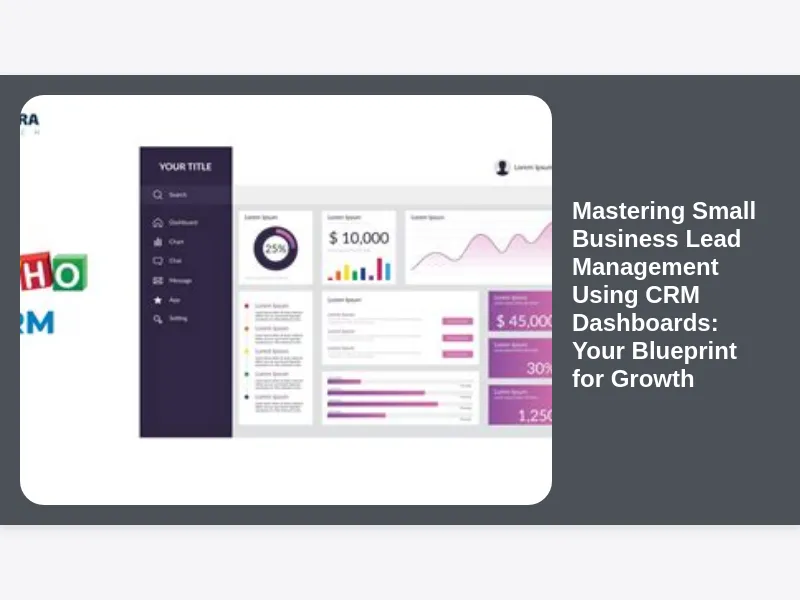
If CRM is the central nervous system, then CRM dashboards are the brain’s command center – the visual interface that brings all that powerful data to life. For small businesses looking to master their lead management, these dashboards are game-changers. Instead of sifting through reports or clicking through endless menus, a CRM dashboard provides an instant, digestible snapshot of your entire lead landscape.
Imagine a single screen displaying how many new leads came in today, where they originated from, which stage they’re in, and what the next crucial actions are. This visual revolution empowers small business owners and their teams to quickly identify trends, spot bottlenecks, and prioritize their efforts effectively. It transforms raw data into actionable insights, making Mastering Small Business Lead Management Using CRM Dashboards not just achievable, but surprisingly intuitive. Dashboards cut through the noise, presenting the most critical metrics in a format that allows for rapid decision-making, ensuring that no lead is overlooked and no opportunity is missed.
Designing Your Ideal CRM Dashboard for Optimal Lead Visibility and Actionability
Creating an effective CRM dashboard isn’t about throwing every piece of data onto one screen; it’s about strategic design tailored to your small business’s specific needs and goals. The ideal dashboard provides optimal lead visibility, allowing you to see at a glance where your efforts are most needed and where success is being achieved. Think about the key questions you need answered daily or weekly regarding your leads.
Start by identifying your most crucial Key Performance Indicators (KPIs) related to lead management. These might include the number of new leads generated, lead sources, conversion rates at each stage of the funnel, lead velocity (how quickly leads move through stages), and pending follow-up tasks. Customize widgets to display these metrics prominently, using clear charts, graphs, and numerical indicators. For instance, a pipeline visualization chart can show the value and number of leads in each stage, while a task list widget ensures no follow-up is forgotten. The goal is actionability: your dashboard should not just inform but also prompt immediate, intelligent action, making your journey towards Mastering Small Business Lead Management Using CRM Dashboards significantly smoother. For more insights on dashboard design, check out best practices from industry leaders like HubSpot or Salesforce for inspiration.
Tracking the Lead Journey: From MQL to SQL with Visual Precision
One of the most powerful features of CRM dashboards for small businesses is their ability to visually represent the entire lead journey, from the moment a prospect becomes a Marketing Qualified Lead (MQL) to their transformation into a Sales Qualified Lead (SQL), and eventually, a paying customer. This visual precision helps teams understand the nuances of their sales funnel and identify exactly where leads might be stalling or dropping off.
A well-designed dashboard will clearly segment your pipeline into defined stages: initial contact, qualification, proposal, negotiation, and closed-won/lost. Each stage can display the number of leads, their estimated value, and the average time leads spend in that stage. This level of granularity allows your sales team to focus their energy on leads that are genuinely sales-ready, while marketing can continue nurturing those still in earlier stages. By seeing the flow, your small business can refine its lead qualification criteria, optimize touchpoints, and ensure a seamless handoff between marketing and sales, thereby streamlining the process of Mastering Small Business Lead Management Using CRM Dashboards.
Leveraging Data for Smarter Decisions: CRM Analytics in Action for Small Business Growth
In today’s data-driven world, gut feelings can only get a small business so far. CRM analytics, readily available through your dashboard, transforms raw lead data into powerful insights that drive smarter, more strategic decisions. Instead of guessing why certain campaigns perform better or why leads drop off at a particular stage, your dashboard provides concrete answers.
Imagine seeing a clear trend showing that leads from a specific marketing channel have a significantly higher conversion rate, or that prospects who engage with three specific content pieces are more likely to close. These aren’t just interesting facts; they are actionable intelligence. Your CRM dashboard can highlight which lead sources are most profitable, which sales activities lead to the most conversions, and even predict future sales trends based on historical data. This allows your small business to allocate resources more effectively, refine marketing strategies, and optimize sales processes, solidifying your path to Mastering Small Business Lead Management Using CRM Dashboards by always making informed, data-backed choices for growth.
Automating Lead Nurturing and Follow-Up: Saving Time, Boosting Conversion Rates
For small businesses, time is a finite and incredibly valuable resource. Manual lead nurturing and follow-up processes are not only time-consuming but also prone to human error and inconsistency. This is where the automation capabilities integrated with your CRM dashboard become indispensable. Imagine setting up automated email sequences that trigger based on a lead’s behavior, sending personalized content at just the right moment.
Your CRM dashboard can display the status of these automated workflows, showing you which leads are engaged in a nurturing sequence, which ones have opened emails, and which have clicked on links. This allows your team to intervene with a personalized call or email at the most opportune time, rather than chasing every lead indiscriminately. From automated welcome emails to reminders for sales reps to follow up after a demo, CRM automation ensures that no lead is forgotten and every interaction is timely and relevant. This efficiency doesn’t just save time; it significantly boosts conversion rates by maintaining consistent engagement and moving leads through the funnel with precision, making it a cornerstone of Mastering Small Business Lead Management Using CRM Dashboards.
Measuring Sales Team Performance and Productivity at a Glance with Dashboards
For any small business with a sales team, understanding individual and collective performance is crucial for growth. CRM dashboards offer an unparalleled ability to measure sales team performance and productivity at a glance, providing transparent insights into what’s working and what might need adjustment. This visibility helps managers coach their teams more effectively and fosters a culture of accountability.
Key metrics that can be prominently displayed include individual sales quotas versus actuals, the number of calls made, emails sent, deals closed, and the average deal size per rep. Dashboards can also track activity rates, showing who is actively engaging with leads and who might need additional support or training. By having these performance indicators front and center, small business leaders can quickly identify top performers, pinpoint areas for improvement, and allocate resources more strategically. This granular oversight is vital for continuous improvement and is a core component of Mastering Small Business Lead Management Using CRM Dashboards for a high-performing sales force.
Identifying Bottlenecks and Opportunities: Optimizing Your Sales Process with Visual Cues
The true power of Mastering Small Business Lead Management Using CRM Dashboards lies in their capacity to not only show you what’s happening but also to reveal why it’s happening. By visualizing your sales process, you can swiftly identify bottlenecks where leads are getting stuck or dropping off, as well as new opportunities for optimization that might otherwise go unnoticed.
For example, if your dashboard shows a significantly high drop-off rate between the “proposal sent” stage and “negotiation,” it might indicate an issue with your proposal content, pricing strategy, or follow-up process. Conversely, if certain lead sources consistently yield high-value deals, it highlights an opportunity to invest more in those channels. These visual cues empower small business owners to conduct root cause analysis, experiment with different strategies, and make incremental improvements that collectively lead to a much more efficient and effective sales cycle. This continuous optimization, driven by dashboard insights, is critical for sustained growth and profitability.
Integrating Marketing and Sales: A Unified Approach to Lead Management Success
Historically, marketing and sales departments often operated in silos, leading to misaligned goals, inconsistent messaging, and ultimately, a fractured lead journey. For small businesses, where every dollar and every lead counts, such fragmentation is a luxury they cannot afford. Mastering Small Business Lead Management Using CRM Dashboards necessitates a unified approach, seamlessly integrating marketing and sales efforts.
A good CRM acts as the bridge between these two critical functions. Your dashboard can display marketing campaign performance alongside sales outcomes, showing how specific campaigns contribute to the lead pipeline and ultimately, to revenue. This shared visibility fosters collaboration, ensures that marketing is generating the right kind of leads for sales, and that sales is equipped with the context of how those leads were nurtured. It allows for a holistic view of the customer acquisition process, ensuring that leads receive a consistent and compelling experience from their very first interaction with your brand through to conversion and beyond. This synergy is key to maximizing efficiency and revenue.
Forecasting Future Growth: Predictive Insights from Your CRM Dashboard
For small businesses aiming for sustainable growth, merely understanding past and present performance isn’t enough; the ability to forecast future growth is invaluable. Your CRM dashboard, when populated with consistent and quality data, can become a powerful tool for predictive insights, allowing you to anticipate future sales, revenue, and resource needs.
By analyzing historical conversion rates, lead velocity, and pipeline value, your dashboard can project potential revenue for upcoming quarters. While not an exact science, these forecasts provide a data-driven basis for strategic planning. They help small businesses set realistic goals, manage inventory, plan staffing levels, and allocate marketing budgets effectively. Imagine knowing with a reasonable degree of confidence what your sales pipeline will look like in three to six months. This foresight, derived directly from the trends and patterns revealed by your dashboard, empowers small business owners to make proactive decisions, making Mastering Small Business Lead Management Using CRM Dashboards a strategic advantage rather than just an operational tool. For more detailed insights on sales forecasting, explore resources from financial publications like Forbes.
Choosing the Right CRM Solution for Your Small Business Needs: A Strategic Decision
The market is flooded with CRM solutions, each promising to be the best. For a small business, choosing the right CRM is a strategic decision that will profoundly impact your ability to implement Mastering Small Business Lead Management Using CRM Dashboards. It’s not about picking the most feature-rich or the cheapest option, but rather the one that best aligns with your specific needs, budget, and future growth aspirations.
Consider factors such as ease of use (critical for small teams with limited IT resources), scalability, integration capabilities with your existing tools (email marketing, accounting software, etc.), and the availability of robust, customizable dashboard features. Look for CRMs that offer specific small business plans, providing essential functionalities without overwhelming complexity or excessive cost. Don’t be swayed by enterprise-level features you won’t use. Prioritize vendor support and training, as successful adoption often hinges on how well your team can utilize the software. Free trials are an excellent way to test drive a few options and see which one truly fits your operational style.
Implementing CRM Successfully: Best Practices for Small Business Adoption
Once you’ve chosen your CRM, the implementation phase is critical. A fantastic tool is useless if your team doesn’t adopt it. Successful CRM implementation in a small business context requires more than just installing software; it demands a strategic approach to change management and user adoption. This is where Mastering Small Business Lead Management Using CRM Dashboards begins to take concrete form.
Start with clear goals: what specific problems are you trying to solve, and what outcomes do you expect? Involve your team from the outset, getting their input on current pain points and demonstrating how the CRM will simplify their daily tasks. Provide comprehensive training that goes beyond basic functionality, focusing on how the CRM, particularly its dashboards, will directly benefit them. Design your dashboards with user roles in mind, ensuring each team member sees the most relevant information for their responsibilities. Finally, leadership must champion the CRM, actively using it and reinforcing its importance. Consistent data entry and adherence to processes are paramount; otherwise, your dashboard insights will be flawed.
Common Pitfalls to Avoid in Small Business Lead Management: Lessons Learned
Even with the best CRM and the most well-designed dashboards, small businesses can fall into common pitfalls that hinder effective lead management. Awareness of these traps is the first step towards avoiding them and truly Mastering Small Business Lead Management Using CRM Dashboards. One prevalent pitfall is neglecting data quality. “Garbage in, garbage out” applies perfectly here; if your team isn’t consistently entering accurate and complete data, your dashboards will display misleading information, leading to poor decisions.
Another common error is failing to define clear lead qualification criteria. Without a shared understanding of what constitutes an MQL versus an SQL, marketing and sales teams will remain misaligned, leading to wasted effort. Over-automation without personalization can also backfire, making your communications feel generic and impersonal. Furthermore, many small businesses implement a CRM but then fail to continuously review and adapt their processes. The market changes, your business evolves, and your CRM strategy must evolve with it. Regularly revisit your dashboard metrics, question assumptions, and be prepared to refine your approach based on real-world performance.
The Tangible ROI: Proving the Value of CRM Dashboards for Small Business Growth
For any small business investment, the return on investment (ROI) is a primary concern. Implementing a CRM system and diligently Mastering Small Business Lead Management Using CRM Dashboards is not just an expense; it’s a strategic investment with significant, tangible returns. While some benefits, like improved team morale or better customer relationships, are harder to quantify, many others can be directly linked to your bottom line.
Think about reduced lead response times, which directly correlate with higher conversion rates. Consider the time saved through automation, allowing your sales team to focus on selling rather than administrative tasks. Quantify the increased conversion rates due to better lead nurturing and more targeted outreach. Measure the revenue generated from leads that would have otherwise been lost in a manual system. By demonstrating these improvements through your dashboard’s analytics – showing a higher lead-to-opportunity conversion, a faster sales cycle, or an increase in average deal size – you can clearly prove the value and ROI of your CRM investment, justifying its integral role in your small business’s growth trajectory.
Evolving Your CRM Strategy: Scaling with Your Small Business and Its Needs
Your small business isn’t static, and neither should your CRM strategy be. As your business grows, as new products or services are introduced, and as your customer base expands, your approach to Mastering Small Business Lead Management Using CRM Dashboards must evolve in tandem. What worked perfectly when you had five employees might need adjustment when you reach fifty.
Regularly review your CRM setup, your dashboard configurations, and your lead management processes. Are the KPIs you’re tracking still the most relevant? Do you need to add new stages to your pipeline to reflect more complex sales cycles? Are there new integrations that could further streamline your operations? As your team grows, consider implementing more advanced features for team collaboration, territory management, or more sophisticated reporting. The beauty of modern CRM solutions is their scalability; they are designed to grow with your business, allowing you to adapt and refine your lead management strategy continually to meet new challenges and seize emerging opportunities.
Beyond the Dashboard: Building Stronger Customer Relationships for Long-Term Success
While Mastering Small Business Lead Management Using CRM Dashboards is crucial for acquiring new customers, it’s important to remember that the ultimate goal of any CRM system extends beyond the initial sale. It’s about building and nurturing strong, lasting customer relationships. Your CRM dashboard provides the insights needed to make the sale, but the philosophy behind CRM is about the entire customer lifecycle.
Once a lead converts, your CRM continues to be invaluable. It tracks purchase history, support interactions, and communication preferences, enabling your team to provide exceptional post-sale service, identify upsell and cross-sell opportunities, and foster customer loyalty. Loyal customers become advocates, providing referrals and testimonials that are invaluable for future lead generation. By viewing lead management not as a standalone process but as the critical first step in a long-term relationship, small businesses can leverage their CRM dashboards to not only acquire customers but to cultivate a thriving, engaged customer base that ensures sustained success for years to come.
Conclusion: Empowering Your Small Business with Intelligent Lead Management
The journey to Mastering Small Business Lead Management Using CRM Dashboards is a powerful one, transforming what was once a chaotic and fragmented process into a streamlined, data-driven engine for growth. For small businesses, where every lead matters and every resource is precious, the ability to visualize your pipeline, automate nurturing, and make informed decisions in real-time is nothing short of revolutionary.
By embracing CRM dashboards, you move beyond mere contact tracking to truly understand your prospects, personalize your outreach, and optimize your entire sales process. You empower your team with clarity, foster collaboration between marketing and sales, and gain the foresight to strategically plan for future growth. In a world where competition is fierce, the businesses that efficiently manage their leads are the ones that not only survive but truly thrive. Start leveraging the power of CRM dashboards today, and unlock a new era of intelligent, efficient, and highly successful lead management for your small business. The path to sustained growth is clear, visually laid out right on your screen.