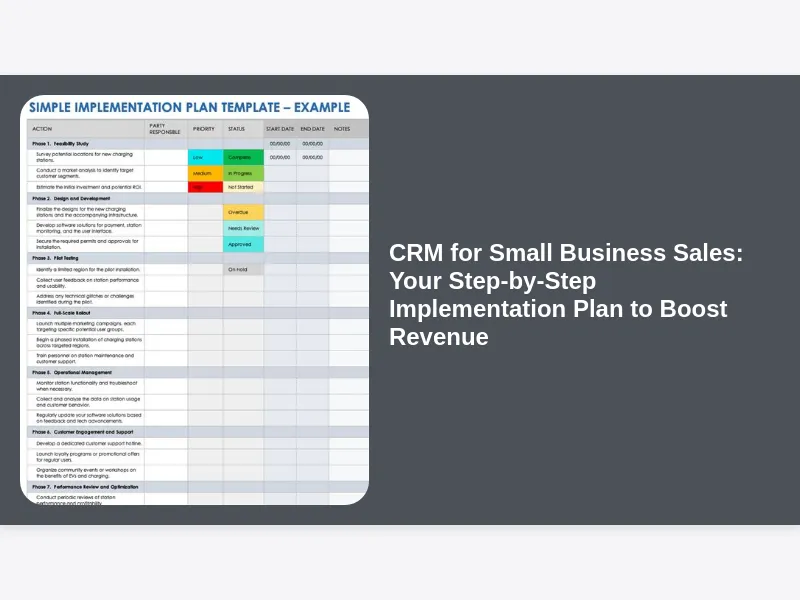
Welcome, fellow small business owner! If you’re reading this, chances are you’ve felt the growing pains of managing your sales processes manually. Perhaps you’re juggling spreadsheets, sticky notes, and a memory that’s trying its best but can’t keep up with every client interaction. Maybe you’re losing track of leads, missing follow-ups, or struggling to get a clear picture of your sales pipeline. These are common challenges, but there’s a powerful solution that many successful small businesses are embracing: a Customer Relationship Management (CRM) system. Specifically, we’re talking about CRM for Small Business Sales, and not just understanding what it is, but how to effectively implement one to truly transform your sales efforts.
This isn’t just another tech solution; it’s a strategic investment in your future growth. A well-implemented CRM can streamline your operations, enhance customer relationships, and, most importantly, significantly boost your sales revenue. But the thought of implementing new software can be daunting, especially for a small business with limited resources and time. That’s why we’ve put together this comprehensive, step-by-step implementation plan. We’ll walk you through everything you need to know, from understanding your specific needs to customizing your system and ensuring your team embraces the change. Get ready to unlock your small business’s full sales potential!
1. Why CRM is Crucial for Small Business Sales Growth
Let’s be frank: in today’s competitive landscape, relying on intuition and manual processes for sales is like trying to navigate a complex city with a paper map from the 1990s. While charming, it’s inefficient and prone to errors. For small businesses, every lead, every customer interaction, and every sales opportunity is incredibly precious. You don’t have the luxury of letting potential revenue slip through the cracks. This is precisely where CRM for Small Business Sales steps in as an indispensable tool.
A CRM system provides a centralized hub for all your customer data, from initial contact to post-sale support. It ensures that every member of your team has access to the most up-to-date information, preventing miscommunications and improving the customer experience. Beyond simple data storage, a CRM automates repetitive tasks, tracks sales activities, and offers powerful insights into your sales performance. It’s about working smarter, not just harder, and giving your small business a competitive edge against larger enterprises with more resources. By formalizing your sales processes and centralizing information, you build a more robust, scalable foundation for sustainable growth.
2. Understanding Your Unique Small Business Sales Needs and Goals
Before you even think about looking at different CRM platforms, the very first and most critical step in your CRM for Small Business Sales implementation journey is to deeply understand your own current sales processes, challenges, and aspirations. This isn’t just a casual conversation; it requires a focused assessment of how your sales team (even if that’s just you!) currently operates. What are your biggest bottlenecks? Where do leads get lost? What information is crucial for your sales team to have at their fingertips?
Take the time to map out your current sales funnel, from lead generation to closing a deal and beyond. Identify every touchpoint, every step, and every piece of information that moves a prospect through your pipeline. Talk to your sales team members, even if it’s just one person, about their daily routines, their frustrations, and what they believe would make their jobs easier and more effective. Are you struggling with lead qualification? Is follow-up inconsistent? Do you lack a clear overview of your pipeline? Setting clear, measurable goals for what you want your CRM to achieve – whether it’s increasing lead conversion rates by 15%, reducing sales cycle time by a week, or improving customer retention by 10% – will guide your selection and implementation process, ensuring your chosen CRM for Small Business Sales truly addresses your specific operational gaps.
3. Researching and Exploring Suitable CRM Solutions for Small Businesses
Once you have a clear understanding of your internal needs and goals, it’s time to dip your toes into the vast ocean of CRM solutions available. This step can feel overwhelming, as there are hundreds of options, each promising to be the perfect fit. However, by leveraging your previously defined requirements, you can quickly narrow down the field. Focus your research on CRM for Small Business Sales specific solutions, as many enterprise-level CRMs will be overkill and over budget for your needs.
Start by looking at popular platforms known for their small business focus, reading reviews, and exploring their features. Pay attention to user-friendliness, scalability, and integration capabilities. Consider whether you need an industry-specific CRM or a more general one that can be customized. Don’t be afraid to utilize free trials or demos offered by vendors; this hands-on experience is invaluable for understanding how a system actually feels and operates. Remember, the goal here isn’t to pick one yet, but to build a shortlist of 3-5 strong contenders that align with your budget and meet the majority of your identified sales needs, ensuring you’re on the right track to finding the best CRM for Small Business Sales solution for your unique operations.
4. Selecting the Right CRM: Features, Cost, and Scalability
With your shortlist in hand, it’s time for the crucial decision: selecting the ideal CRM for Small Business Sales that will power your growth. This isn’t just about picking the cheapest option or the one with the most flashy features; it’s about finding the right balance that truly supports your business now and in the future. Evaluate each shortlisted CRM against a comprehensive set of criteria that goes beyond just the price tag.
Consider the core sales features: Does it offer robust lead tracking, pipeline management, and contact management? Are its reporting and analytics capabilities strong enough to give you the insights you need? Ease of use is paramount for small business adoption; if your team finds it difficult or clunky, it won’t be used effectively. Look into the cost structure, including monthly fees, potential add-ons, and hidden costs for support or advanced features. Finally, think about scalability: can the CRM grow with your business? What happens when you add more sales reps or expand your product lines? Choosing wisely here sets the foundation for a successful CRM for Small Business Sales implementation, avoiding the costly mistake of having to switch systems down the line.
5. Building Your Sales Process within the CRM: Mapping Stages and Activities
Once you’ve made your selection, the real work of implementation begins. A critical step for any successful CRM for Small Business Sales strategy is to meticulously map your existing (or ideal) sales process directly into the new system. This isn’t just about replicating what you do now; it’s an opportunity to refine and optimize your sales journey. Start by clearly defining each stage of your sales pipeline, from “New Lead” to “Qualified Prospect,” “Proposal Sent,” “Negotiation,” and ultimately “Closed Won” or “Closed Lost.”
For each stage, identify the specific activities and tasks that need to occur. For example, in the “New Lead” stage, activities might include initial contact, lead qualification questions, and assigning a sales representative. In the “Proposal Sent” stage, it could involve scheduling a follow-up call and tracking proposal views. Your CRM should be configured to reflect these stages and prompt your sales team to complete the necessary actions. This structured approach ensures consistency across your sales efforts, minimizes missed steps, and provides a clear, visual representation of where every deal stands. By embedding your sales process directly into the CRM, you create a guided pathway for your team, enhancing efficiency and improving your ability to manage every sales opportunity within your CRM for Small Business Sales platform.
6. Developing a Robust Data Migration Strategy for Seamless Transition
Now that your chosen CRM for Small Business Sales is configured with your sales process, the next significant hurdle is getting all your existing customer and lead data into the new system. This step is often underestimated and can become a major headache if not planned carefully. A robust data migration strategy is essential for a seamless transition and to ensure your CRM is immediately useful from day one. Start by identifying all the sources of your current data: spreadsheets, old contact management systems, email lists, and even physical notebooks.
The most critical part of this stage is data cleansing. Before importing anything, dedicate time to reviewing, standardizing, and removing duplicate or outdated information. Garbage in, garbage out! Ensure that data fields in your old sources map correctly to the fields in your new CRM. Decide on the order of migration – perhaps starting with current active leads and customers, then moving to historical data. Consider if you’ll perform a manual import for smaller datasets or utilize bulk import tools and potentially even a data migration specialist for larger, more complex transfers. A meticulous approach here will prevent frustration down the line, ensuring your CRM for Small Business Sales is populated with accurate, actionable information, ready to empower your team.
7. Customizing Your CRM to Fit Your Unique Sales Workflow
While many CRM for Small Business Sales solutions offer out-of-the-box functionality, the real power often lies in tailoring the system to perfectly match your unique sales workflow and terminology. This customization phase is where you make the CRM truly yours, ensuring it feels intuitive and directly addresses your specific business needs, rather than forcing you to adapt to generic software. Don’t shy away from making it reflect how you do business.
Consider creating custom fields for information critical to your sales process that isn’t included by default. For instance, if you sell B2B services, you might need fields for “Industry Segment” or “Budget Size.” If you’re in e-commerce, maybe “Last Product Purchased” or “Customer Lifetime Value.” Beyond fields, explore custom reporting dashboards that highlight your most important KPIs at a glance. Set up automated workflows for common tasks, like sending an introductory email to a new lead, scheduling a follow-up task after a demo, or automatically updating a deal stage based on a specific action. These customizations, ranging from simple field adjustments to more complex automation rules, significantly enhance the efficiency and relevance of your CRM for Small Business Sales, making it a truly indispensable asset for your team.
8. Training Your Sales Team: Ensuring User Adoption and Proficiency
A CRM for Small Business Sales system, no matter how powerful or perfectly configured, is only as effective as the team using it. The biggest barrier to success is often not the technology itself, but user adoption. Therefore, a comprehensive and engaging training program for your sales team is absolutely non-negotiable. Don’t just show them the basics and expect them to figure it out; invest in making them proficient and confident users.
Start with initial training sessions that cover the “why” before the “how.” Explain how the CRM will make their jobs easier, help them close more deals, and provide better customer service. Then, dive into hands-on training, walking them through common scenarios they’ll encounter daily, such as logging a new lead, updating deal stages, scheduling activities, and generating basic reports. Provide clear, concise documentation or video tutorials they can refer back to. Appoint a “CRM Champion” within your team – someone enthusiastic who can offer peer-to-peer support and answer questions. Ongoing support, regular check-ins, and celebrating early successes will reinforce positive habits and ensure your CRM for Small Business Sales becomes an invaluable tool rather than a forgotten obligation.
9. Integrating Your CRM with Other Essential Business Tools
In today’s interconnected business world, very few tools operate in isolation. For your CRM for Small Business Sales to truly maximize its impact, it needs to play nicely with your other essential business applications. Think about the other software your sales and marketing teams use daily. Common integrations include email marketing platforms (like Mailchimp or HubSpot), accounting software (like QuickBooks or Xero), customer support tools, and even social media management platforms.
The benefits of integration are immense. Imagine a lead generated from your website (via an email marketing platform) automatically appearing in your CRM, ready for a sales rep to pick up. Or a closed deal in your CRM instantly creating an invoice in your accounting software. This eliminates manual data entry, reduces errors, and ensures a seamless flow of information across your entire business ecosystem. When researching your CRM for Small Business Sales, always inquire about its integration capabilities, looking for native integrations or robust API access that allows for custom connections via tools like Zapier. A well-integrated CRM creates a more efficient and unified operational environment, saving time and improving data accuracy across your entire organization.
10. Implementing a Pilot Program and Gathering Feedback for Refinement
Before you roll out your new CRM for Small Business Sales to your entire team, consider implementing a pilot program. This crucial step allows you to test the system in a live environment with a smaller group, identify potential issues, and gather valuable feedback for refinement without disrupting your entire sales operation. Select a small, diverse group of users for your pilot – perhaps one or two enthusiastic sales reps and a manager.
During the pilot, encourage these users to actively engage with the CRM, using it for their daily tasks, logging interactions, and moving deals through the pipeline. Schedule regular check-ins with the pilot group to discuss their experiences. What’s working well? What’s confusing or cumbersome? Are there any missing features or unexpected bugs? Document all feedback meticulously. This iterative process allows you to make necessary adjustments to your CRM configuration, workflows, or training materials before a broader launch. A successful pilot program ensures that when your CRM for Small Business Sales is finally rolled out company-wide, it’s a finely tuned, user-friendly system, ready to deliver maximum impact and minimize friction.
11. Monitoring and Optimizing Your CRM Performance for Continuous Improvement
Implementing a CRM for Small Business Sales isn’t a one-time project; it’s an ongoing journey of monitoring, analysis, and optimization. Once your CRM is live and your team is actively using it, the next critical phase is to regularly monitor its performance and the data it generates. This will help you understand its true impact on your sales operations and identify areas for continuous improvement. Establish key performance indicators (KPIs) that align with your initial sales goals, such as lead conversion rates, average sales cycle length, deal velocity, individual sales rep performance, and customer retention rates.
Utilize the reporting and dashboard features within your CRM to track these metrics consistently. Schedule weekly or monthly reviews with your sales team and management to analyze the data. Are you hitting your targets? Where are the bottlenecks in your pipeline? Is there a particular stage where deals consistently get stuck? This data-driven approach allows you to make informed decisions – whether it’s adjusting a sales process, providing additional training, or refining your CRM’s configuration. By treating your CRM for Small Business Sales as a dynamic tool that requires constant attention and refinement, you ensure it remains a powerful engine for your business growth and adapts as your market and needs evolve.
12. Leveraging CRM for Robust Lead Management and Nurturing
One of the most immediate and impactful benefits of a well-implemented CRM for Small Business Sales is its ability to revolutionize your lead management and nurturing processes. Gone are the days of leads falling through the cracks or being mishandled. Your CRM becomes the central repository for every lead, regardless of its source – website form, trade show, referral, or cold outreach. This central hub ensures no lead is forgotten and every opportunity is systematically pursued.
Within your CRM, you can categorize and segment leads based on various criteria, such as industry, company size, or lead source, allowing for more targeted outreach. Implement lead scoring mechanisms to prioritize the hottest leads, ensuring your sales team focuses their valuable time on prospects most likely to convert. Beyond initial qualification, your CRM enables systematic lead nurturing. You can set up automated email sequences for different lead segments, schedule timely follow-up activities, and track every interaction. This structured approach to lead management, powered by your CRM for Small Business Sales, ensures a consistent and effective journey for every potential customer, significantly increasing your chances of conversion and building a robust sales pipeline.
13. Enhancing Customer Relationships Through Personalized Communication
Beyond just managing leads and sales opportunities, a core principle of CRM for Small Business Sales is, quite literally, customer relationship management. It’s about building stronger, more meaningful connections with your clients, which in turn leads to increased loyalty, repeat business, and valuable referrals. Your CRM acts as a memory bank for every customer interaction, providing your sales team with a complete 360-degree view of each client.
Imagine being able to see a customer’s entire history at a glance: their purchase history, previous support inquiries, specific preferences, and even personal notes from past conversations. This rich context allows your sales team to engage in highly personalized communication, anticipating needs, addressing pain points proactively, and demonstrating that you truly understand their business. You can use your CRM to segment customers for targeted outreach, send personalized follow-ups after a purchase, or proactively reach out with relevant offers. This level of personalized service, seamlessly facilitated by your CRM for Small Business Sales, transforms transactional interactions into lasting relationships, turning customers into advocates for your brand.
14. Boosting Sales Forecasting and Reporting with CRM Insights
For any small business striving for predictable growth, accurate sales forecasting and insightful reporting are invaluable. Manual methods often lead to guesswork and reactive decision-making. This is where your CRM for Small Business Sales truly shines, transforming raw data into actionable intelligence that empowers you to make smarter, more strategic business decisions. The data meticulously logged by your sales team, from deal stages to potential revenue and estimated close dates, forms the bedrock of powerful analytics.
Your CRM can generate a wide array of reports, offering deep insights into every aspect of your sales operations. You can track individual sales rep performance, identify your most profitable lead sources, analyze sales cycle length for different product lines, and pinpoint bottlenecks in your pipeline. Crucially, it provides the data for more accurate sales forecasting, allowing you to predict future revenue with greater confidence. This enables better resource planning, inventory management, and strategic goal setting. With robust reporting and forecasting capabilities built into your CRM for Small Business Sales, you move beyond mere intuition and gain a clear, data-driven understanding of your sales trajectory, helping you steer your business towards sustained success.
15. Overcoming Common CRM Implementation Challenges
While the promise of CRM for Small Business Sales is immense, the road to successful implementation isn’t always perfectly smooth. Many small businesses encounter common challenges that, if not addressed proactively, can derail the entire project. Understanding these hurdles beforehand allows you to prepare and mitigate their impact, ensuring a smoother transition and maximizing your chances of success.
One of the most frequent challenges is user resistance. Sales teams, accustomed to their old methods, might view a new CRM as additional administrative burden rather than a helpful tool. Combat this with thorough training, clear communication on the benefits, and lead by example. Another issue can be poor data quality during migration; inaccurate or incomplete data renders the CRM less effective. Invest time in data cleansing before import. Scope creep, where additional features are constantly requested during implementation, can also delay launch and inflate costs; stick to your core requirements initially. Finally, a lack of ongoing management commitment can lead to the CRM becoming a “data graveyard.” Regular reviews, celebrating successes, and using the CRM’s insights for strategic decisions will ensure it remains a vibrant, essential tool for your CRM for Small Business Sales strategy.
16. Ensuring Data Security and Compliance within Your Small Business CRM
In an era of increasing data breaches and stringent privacy regulations, ensuring the security and compliance of your customer data within your CRM for Small Business Sales is not merely a technical consideration; it’s a foundational ethical and legal requirement. For small businesses, reputation is everything, and a data breach can be catastrophic. Therefore, it’s crucial to select a CRM vendor that prioritizes robust security measures and understand your own responsibilities in maintaining data integrity.
When choosing a CRM, investigate the vendor’s security protocols: do they offer data encryption, regular backups, and multi-factor authentication? Are their data centers secure and compliant with industry standards? Beyond the vendor, establish internal best practices. Implement strict access controls, ensuring only authorized personnel can view or modify sensitive data. Educate your team on data privacy principles, such as GDPR or CCPA (depending on your location and customer base), and ensure your CRM usage aligns with these regulations. Regular audits of user activity and data integrity are also good practices. By making data security and compliance a top priority, you build trust with your customers and protect your small business from potentially devastating legal and reputational damage while leveraging the power of your CRM for Small Business Sales.
17. Scalability and Future-Proofing Your CRM Investment
As a small business, your goal is growth. What works perfectly for a team of two today might be completely inadequate for a team of ten next year. This is why considering the scalability and future-proofing of your chosen CRM for Small Business Sales is a critical aspect of your initial decision and ongoing management. You don’t want to invest significant time and resources into a system only to outgrow it within a couple of years, forcing another costly and disruptive migration.
When evaluating CRM options, look for platforms that offer different pricing tiers or modules that you can “turn on” as your business expands. Can you easily add more users? Are there advanced features, like marketing automation or enhanced customer service tools, that you might need in the future but don’t require immediately? Does the vendor have a clear roadmap for future development and regular updates? Cloud-based CRMs typically offer greater scalability and flexibility than on-premise solutions. Furthermore, ensure the CRM can handle an increasing volume of data and a growing number of custom fields and workflows without significant performance degradation. By selecting a CRM for Small Business Sales with an eye on the future, you ensure your investment continues to support your evolving needs and fuels your long-term success.
18. The Tangible ROI of CRM for Small Business Sales
Investing in a CRM for Small Business Sales solution requires a commitment of both time and money. Naturally, as a prudent business owner, you’ll want to understand the return on investment (ROI) that such a system can deliver. While some benefits, like improved team morale or enhanced customer satisfaction, are intangible, many others directly impact your bottom line and can be quantified. Calculating this ROI helps justify the expenditure and demonstrates the strategic value of your CRM.
Consider the measurable improvements: a reduction in sales cycle length means your team closes deals faster, leading to quicker revenue generation. Increased lead conversion rates directly translate to more sales from the same pool of prospects. Improved customer retention, fostered by personalized interactions, reduces the cost of acquiring new customers. Automation of administrative tasks frees up your sales reps’ time, allowing them to focus more on selling, effectively increasing their productivity without necessarily increasing headcount. Furthermore, better sales forecasting and reporting lead to more accurate resource allocation and reduced waste. By meticulously tracking these metrics before and after implementation, you can clearly demonstrate how your CRM for Small Business Sales isn’t just an expense, but a powerful engine driving measurable financial gains for your business.
19. Continuous Improvement: Evolving Your CRM Strategy with Your Business
Congratulations, your CRM for Small Business Sales is successfully implemented and your team is using it effectively! However, the journey doesn’t end here. The most successful businesses treat their CRM as a living, evolving tool that requires continuous attention and adaptation. Your business isn’t static; it grows, market conditions change, and customer expectations shift. Your CRM strategy must evolve alongside these dynamics to remain a truly valuable asset.
Regularly revisit your initial goals and assess whether the CRM is still helping you achieve them. Conduct periodic reviews with your sales team to gather feedback on what’s working well and what could be improved. Are there new features in the CRM that you haven’t explored yet but could benefit your operations? Should you adjust your sales pipeline stages based on new insights? Could new automated workflows further streamline processes? Embrace an iterative approach, making small, incremental changes and improvements based on data and user feedback. By dedicating time to continuously refine and optimize your CRM for Small Business Sales, you ensure it remains perfectly aligned with your business objectives, maximizing its impact year after year and becoming a cornerstone of your sustained growth.
20. Conclusion: Empower Your Small Business Sales with a Strategic CRM
Embarking on the journey of implementing a CRM for Small Business Sales might seem like a monumental task at first, but as we’ve explored through this step-by-step plan, it’s a highly achievable and incredibly rewarding endeavor. From understanding your specific needs and carefully selecting the right platform to meticulous data migration, comprehensive team training, and continuous optimization, each stage plays a vital role in transforming your sales operations.
Remember, a CRM is more than just software; it’s a strategic framework for managing your most valuable assets: your customers and your sales opportunities. It centralizes information, automates tasks, provides invaluable insights, and ultimately empowers your sales team to be more efficient, effective, and customer-centric. By following this detailed guide, you’re not just installing a new tool; you’re investing in a more organized, data-driven, and prosperous future for your small business. Don’t let the competition outpace you. Embrace the power of a well-implemented CRM for Small Business Sales today and watch your revenue soar, your customer relationships deepen, and your business thrive.