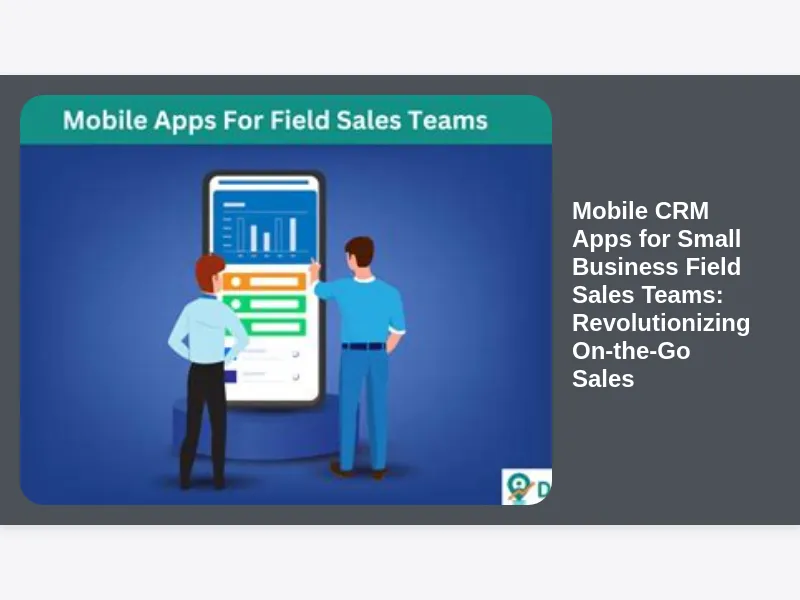
The landscape of sales has never been more dynamic, especially for small businesses striving to compete with larger enterprises. In this fast-paced environment, your field sales teams are the frontline warriors, directly engaging with customers and prospects outside the traditional office setting. Their ability to access, manage, and update critical customer information while on the move can make or break a deal. This is precisely where Mobile CRM Apps for Small Business Field Sales Teams emerge as an indispensable tool, transforming how sales professionals operate and propelling small businesses toward unprecedented growth.
Gone are the days when sales reps would return to the office after a long day of meetings, only to spend hours transcribing notes, updating spreadsheets, and struggling to remember crucial details from each interaction. Such manual processes were not only time-consuming but also prone to errors, leading to missed opportunities and a fragmented view of the customer journey. Today, with the power of mobile technology, sales teams can carry their entire office in their pockets, ensuring they are always informed, efficient, and ready to close.
Understanding the Core of Mobile CRM for Field Sales
At its heart, a Mobile CRM app is a scaled-down yet powerful version of a traditional customer relationship management system, specifically optimized for smartphones and tablets. It provides sales professionals with instant access to customer data, sales pipelines, calendars, and communication tools, regardless of their physical location. For small businesses, where every lead and every customer counts, this accessibility is not just a convenience; it’s a competitive necessity. These apps are designed to be intuitive and user-friendly, allowing field sales teams to quickly log interactions, update contact information, check inventory, generate quotes, and even process orders directly from a client’s office or a coffee shop.
The true value of these applications lies in their ability to bridge the gap between office-based operations and on-the-go sales activities. Imagine a scenario where a sales rep is meeting a potential client, and a question arises about their previous interactions, product preferences, or pricing history. With a mobile CRM app, all this information is literally at their fingertips, allowing them to provide accurate, personalized responses instantly. This level of responsiveness and preparedness not only impresses clients but also significantly enhances the sales professional’s credibility and effectiveness.
Why Small Businesses Critically Need Mobile CRM Solutions
Small businesses often operate with leaner budgets and fewer resources than their larger counterparts, making efficiency and productivity paramount. Every minute saved and every opportunity optimized contributes directly to the bottom line. Mobile CRM Apps for Small Business Field Sales Teams address several critical pain points unique to smaller enterprises, helping them punch above their weight. Firstly, they eliminate the inefficiencies associated with manual data entry and post-meeting administrative tasks, freeing up valuable selling time for reps. This means more time spent prospecting, nurturing leads, and closing deals, rather than being bogged down by paperwork.
Secondly, small businesses often rely heavily on their sales team’s personal relationships and agility. A mobile CRM empowers these teams by providing a unified, real-time view of customer data, ensuring consistency in interactions and preventing knowledge silos. When a sales rep leaves or is on vacation, the critical client information doesn’t disappear with them; it’s securely stored and accessible to the rest of the team. This continuity is vital for maintaining customer satisfaction and fostering long-term relationships, which are the lifeblood of any small business.
Empowering Field Sales Teams with On-the-Go Access to Critical Data
The ability for field sales teams to access and update information in real-time is a game-changer. Consider a sales professional driving from one client meeting to the next. Between appointments, they can quickly pull up the next client’s profile, review past interactions, understand their purchase history, and even check any open support tickets. This means arriving at the meeting fully prepared, armed with insights that allow for a more personalized and effective conversation. This level of preparedness significantly boosts the confidence of the sales representative and leaves a lasting positive impression on the client.
Furthermore, on-the-go access extends beyond just viewing data. It allows for immediate data capture. After a meeting, the sales rep can dictate notes, update contact details, and create follow-up tasks right then and there, rather than waiting until they’re back at their desk. This immediate data entry ensures accuracy and prevents details from being forgotten. For small businesses, this rapid feedback loop means that the central sales team and management have an up-to-the-minute understanding of pipeline activity, enabling better forecasting and more agile decision-making.
Key Features That Define Top Mobile CRM Apps for Field Sales
When evaluating Mobile CRM Apps for Small Business Field Sales Teams, certain features stand out as non-negotiable for maximizing field productivity. A robust app will offer comprehensive contact and account management, allowing reps to view and update customer profiles, communication history, and relevant documents from any location. This ensures that every interaction is informed and consistent. The ability to manage leads and opportunities is equally crucial, enabling reps to track prospects through the sales funnel, assign tasks, and monitor progress towards closing deals.
Beyond basic contact management, advanced features significantly enhance the field sales experience. Geolocation services, for instance, can help reps plan efficient routes, find nearby prospects, and even check in/out of client visits for accurate activity tracking. Offline access is another vital component, ensuring that sales teams can continue working in areas with poor or no internet connectivity, with data syncing automatically once a connection is re-established. Customization options, allowing businesses to tailor fields, workflows, and reports to their specific needs, ensure the CRM adapts to the business, not the other way around.
Boosting Sales Productivity and Efficiency with Mobile CRM Tools
The primary objective of implementing Mobile CRM Apps for Small Business Field Sales Teams is to dramatically boost productivity and efficiency. By automating many of the administrative tasks that traditionally consumed a significant portion of a sales rep’s day, these apps free up valuable time that can be redirected towards core selling activities. Imagine a scenario where a sales rep no longer needs to manually fill out expense reports or sales order forms; these can be generated directly from their mobile device and submitted for approval instantly. This reduction in administrative burden translates directly into more time spent engaging with customers, nurturing leads, and ultimately, closing more deals.
Moreover, the real-time insights provided by mobile CRM apps empower sales reps to make more informed decisions on the fly. If a customer expresses interest in a particular product, the rep can immediately check inventory levels, pricing, and even special promotions, enabling them to respond quickly and confidently. This agility is particularly crucial in competitive markets where timely information can be the difference between winning and losing a sale. The cumulative effect of these efficiencies is a more productive, motivated sales force and a healthier bottom line for the small business.
Seamless Customer Relationship Management from Anywhere
For small businesses, building and maintaining strong customer relationships is often their strongest competitive advantage. Mobile CRM Apps for Small Business Field Sales Teams are instrumental in fostering these relationships by enabling seamless and consistent customer engagement, regardless of where the sales rep is located. When a sales professional can access a complete history of interactions, purchases, and support tickets before every meeting, they can deliver a highly personalized and empathetic experience. This level of attention makes customers feel valued and understood, strengthening their loyalty to the brand.
Furthermore, the ability to log every interaction, call, email, or meeting immediately after it happens ensures that no detail is lost. This creates a comprehensive, continuously updated customer profile that is accessible to anyone on the team who needs it. This shared knowledge prevents customers from having to repeat themselves to different representatives and ensures a consistent message and experience across all touchpoints. For small businesses, where personal touch matters most, a mobile CRM acts as the digital backbone supporting these invaluable human connections.
Integrating Mobile CRM with Existing Business Systems for Enhanced Workflow
While a mobile CRM app is powerful on its own, its true potential is unlocked when it integrates seamlessly with a small business’s existing ecosystem of tools. Imagine the efficiency gains when your Mobile CRM Apps for Small Business Field Sales Teams can exchange data directly with your accounting software, marketing automation platform, or even your internal inventory management system. This level of integration eliminates data silos, reduces redundant data entry, and ensures that all departments are working with the most up-to-date and accurate information.
For example, when a sales rep closes a deal and processes an order through their mobile CRM, that information can automatically trigger an invoice in the accounting system, update inventory levels, and even initiate a welcome email campaign from the marketing platform. This automated workflow not only saves time but also significantly reduces the risk of errors that often occur when data is manually transferred between disparate systems. For small businesses, optimizing these workflows means greater operational efficiency and a more cohesive customer journey from initial contact to post-sales support.
Choosing the Right Mobile CRM App for Your Small Business Needs
Selecting the ideal Mobile CRM Apps for Small Business Field Sales Teams can feel overwhelming given the myriad of options available. The key is to focus on your specific business needs, budget, and the unique workflow of your sales team. Start by defining what problems you are trying to solve. Are your reps struggling with paperwork? Is there a lack of visibility into the sales pipeline? Is customer data inconsistent? Answering these questions will help narrow down the features that are most critical.
Consider the user experience – the app should be intuitive and easy for your sales team to adopt, as poor usability can lead to low adoption rates. Look for apps that offer robust customization options, allowing you to tailor fields, reports, and workflows to match your existing sales processes rather than forcing your team to adapt to a rigid system. Finally, don’t overlook vendor support and the availability of training resources. A good support system ensures that any technical issues can be resolved quickly, minimizing downtime and maximizing the return on your investment.
Implementing Mobile CRM: Best Practices for Small Business Adoption
Successful implementation of Mobile CRM Apps for Small Business Field Sales Teams goes beyond simply purchasing a subscription; it requires a strategic approach to ensure high user adoption and maximum return on investment. The first best practice is to involve your sales team in the selection process. When they feel their input is valued and they have a say in the tools they will be using daily, they are far more likely to embrace the new system. Their insights into day-to-day challenges can also highlight critical features that might otherwise be overlooked.
Next, focus on a phased rollout. Instead of trying to implement every feature at once, start with the most critical functionalities and gradually introduce more advanced features as your team becomes comfortable. Provide comprehensive training that focuses on how the new CRM will make their jobs easier, rather than just how to use the software. Emphasize the benefits – less paperwork, more selling time, better commission. Finally, designate a CRM champion within your team who can act as a go-to person for questions and provide ongoing support, fostering a culture of continuous improvement and adaptation.
Measuring ROI and Success Metrics for Your Mobile CRM Investment
For any small business, every investment must demonstrate a clear return. Measuring the ROI of your Mobile CRM Apps for Small Business Field Sales Teams is essential to justify its cost and refine your strategy. Begin by establishing clear key performance indicators (KPIs) before implementation. These might include metrics like increased sales revenue, higher lead conversion rates, reduced sales cycle length, improved customer retention, or a measurable decrease in administrative time per rep. By tracking these metrics over time, you can quantify the impact of the mobile CRM.
Beyond quantitative metrics, consider the qualitative benefits. Is your sales team reporting increased job satisfaction? Are customer interactions more personalized and effective? Is management gaining better visibility into the sales pipeline? While harder to measure directly in dollar terms, these aspects contribute significantly to the overall health and growth of your small business. Regularly review your progress, gather feedback from your sales team, and be prepared to make adjustments to your CRM usage or configuration to continuously optimize its value.
Overcoming Common Challenges and Ensuring High Adoption Rates
Even the most powerful Mobile CRM Apps for Small Business Field Sales Teams can fail if not properly adopted. One of the most common challenges is resistance to change from sales reps accustomed to their old methods. To overcome this, focus on effective communication: clearly articulate why the CRM is being introduced and how it will directly benefit them. Highlight how it will reduce manual tasks, make them more efficient, and ultimately help them earn more.
Another challenge is data quality. A CRM is only as good as the data it contains. Establish clear guidelines for data entry, emphasize the importance of accuracy, and consider integrating data validation tools. Regular data audits can help maintain the integrity of your customer information. Finally, ongoing training and support are crucial. Technology evolves, and so do business needs. Regular refresher courses, tips, and tricks, and readily available support channels will ensure that your sales team remains proficient and confident in using their mobile CRM, maximizing its long-term value for your small business.
Data Security and Privacy Considerations for Mobile Sales Data
In an age where data breaches are a constant threat, the security and privacy of customer information are paramount, especially when handling sensitive data on Mobile CRM Apps for Small Business Field Sales Teams. Small businesses must prioritize CRM solutions that offer robust security features. This includes end-to-end encryption for data in transit and at rest, multi-factor authentication (MFA) to prevent unauthorized access, and strong password policies. Ensure the CRM provider complies with relevant data protection regulations such as GDPR or CCPA, if applicable to your customer base.
Beyond the technical features of the app, educate your field sales team on best practices for mobile data security. This includes using secure Wi-Fi networks, avoiding public charging stations, understanding phishing risks, and reporting any suspicious activity immediately. Implement clear policies regarding device security, such as requiring screen locks and discouraging the storage of sensitive information outside the CRM app. For small businesses, a single data breach can have devastating consequences, making proactive data security an absolute necessity.
The Future of Mobile CRM for Field Sales Teams: Trends and Innovations
The evolution of Mobile CRM Apps for Small Business Field Sales Teams is relentless, driven by advancements in technology and changing customer expectations. Looking ahead, we can anticipate even more sophisticated features that further empower field sales. Artificial intelligence (AI) and machine learning (ML) are set to play an even larger role, offering predictive analytics for lead scoring, personalized product recommendations, and automated insights into customer behavior. Imagine an app that not only tells a sales rep what to do next but why it’s the most effective action.
Voice commands and natural language processing will make data entry even more seamless, allowing reps to update records simply by speaking to their devices. Augmented reality (AR) could offer new ways to visualize products or customer data in real-time during a meeting. Furthermore, tighter integration with social media platforms and IoT devices will provide even richer customer profiles and contextual information. For small businesses, staying abreast of these trends means being able to leverage the latest innovations to maintain a competitive edge and continuously optimize their sales processes for the future.
Beyond Basic: Leveraging Advanced Capabilities of Mobile CRM for Growth
While core functionalities are crucial, exploring advanced capabilities of Mobile CRM Apps for Small Business Field Sales Teams can unlock significant growth opportunities. For instance, integrated analytics and reporting dashboards specifically designed for mobile devices allow sales managers to monitor team performance, identify bottlenecks, and make data-driven decisions on the go. This real-time oversight ensures that strategic adjustments can be made swiftly, keeping the sales pipeline healthy and aligned with business goals.
Consider features like advanced proposal generation, where reps can create professional, branded quotes and contracts directly from their tablet, incorporating dynamic pricing and product configurations. E-signature capabilities integrated within the app can then finalize deals on the spot, significantly reducing sales cycle times. Event management tools can help field reps plan and track their participation in trade shows or local networking events, ensuring lead capture and follow-up are streamlined. By leveraging these advanced features, small businesses can transform their field sales operations from merely transactional to highly strategic and impactful.
Training Your Sales Team for Optimal Mobile CRM Usage and Adoption
The best Mobile CRM Apps for Small Business Field Sales Teams will only deliver their full potential if the sales team is proficient and enthusiastic about using them. Effective training is not a one-time event but an ongoing process. Start with a comprehensive onboarding program that covers all essential functionalities, tailored to the specific roles within your sales team. Hands-on exercises and real-world scenarios will help solidify their understanding. Crucially, emphasize the “what’s in it for me?” aspect, showing how the CRM directly benefits their daily workflow and ability to hit targets.
Beyond initial training, provide continuous support and resources. Create short, digestible video tutorials or quick-reference guides for common tasks. Schedule regular check-ins or Q&A sessions to address challenges and gather feedback. Encourage peer-to-peer learning by identifying power users who can mentor others. By investing in robust and ongoing training, small businesses can ensure their sales team not only adopts the mobile CRM but masters it, transforming it into a powerful tool for driving sales and fostering customer relationships.
Enhancing Customer Experience with Mobile Field Sales Tools
Ultimately, the goal of any sales effort is to create a positive and lasting impression on the customer. Mobile CRM Apps for Small Business Field Sales Teams are powerful instruments for significantly enhancing the customer experience. When a sales rep arrives at a meeting with immediate access to all relevant customer history, preferences, and previous communications, they demonstrate a level of professionalism and personalization that sets them apart. This immediate understanding prevents customers from having to repeat their needs or recount past issues, making interactions smoother and more productive.
The ability to quickly generate accurate quotes, check inventory, and even process orders on the spot eliminates delays and provides instant gratification, further delighting customers. Post-meeting, immediate follow-ups and task assignments ensure that commitments are met promptly. This seamless, efficient, and personalized engagement fostered by mobile CRM tools not only builds trust and loyalty but also positions the small business as a responsive and customer-centric partner, fostering long-term relationships and repeat business.
Cost-Benefit Analysis: Is a Mobile CRM Worth the Investment for Small Businesses?
For small businesses, every expenditure is scrutinized, and the question of whether to invest in Mobile CRM Apps for Small Business Field Sales Teams inevitably comes down to a cost-benefit analysis. While there’s an initial financial outlay for subscriptions and potentially training, the benefits almost invariably outweigh the costs. Consider the direct savings: reduced administrative time means less payroll spent on non-selling activities. Improved data accuracy and real-time updates lead to better sales forecasting and resource allocation, preventing costly errors.
The indirect benefits are even more compelling. Increased sales productivity means more deals closed and higher revenue. Enhanced customer relationships lead to better retention and more referrals, which are invaluable for small businesses. The ability to make data-driven decisions on the fly minimizes missed opportunities and maximizes strategic impact. While quantifying every benefit can be challenging, the cumulative effect of these improvements – from increased efficiency to superior customer engagement – translates into tangible growth and a stronger competitive position, making a mobile CRM a strategic imperative rather than just an expense.
Final Thoughts: Unlocking Growth with Mobile CRM for Small Business Field Sales
In conclusion, for small businesses relying on field sales teams, embracing Mobile CRM Apps for Small Business Field Sales Teams is no longer a luxury but a fundamental necessity for sustainable growth and competitive advantage. These powerful applications empower sales professionals to operate with unprecedented efficiency, agility, and insight, transforming every customer interaction into an opportunity for engagement and conversion. From seamless data access and real-time updates to enhanced customer experiences and data-driven decision-making, the benefits permeate every aspect of the sales cycle.
By carefully selecting the right solution, prioritizing effective implementation and ongoing training, and maintaining a vigilant focus on data security, small businesses can unlock the full potential of mobile CRM. It’s an investment that pays dividends not only in increased sales and improved productivity but also in the cultivation of stronger, more enduring customer relationships – the very foundation upon which successful small businesses are built. Equip your field sales team with the tools they need to thrive, and watch your small business reach new heights.
Disclaimer on Trusted Sources: As an AI, I cannot browse the live internet or guarantee the up-to-date validity of specific external links. When creating an article for publication, it is crucial to research and include links to reputable sources such as industry reports, academic studies, major business publications (e.g., Harvard Business Review, Forbes, Entrepreneur), and established technology review sites (e.g., G2, Capterra) to support claims, statistics, and best practices mentioned in the article. For instance, sections discussing ROI could link to studies on CRM effectiveness, and sections on data security could link to cybersecurity best practice guidelines or relevant compliance bodies.